
Every Feature, One Extension
FastCapture packs a complete screen capture toolkit into a single browser extension. No signup, no compromises.
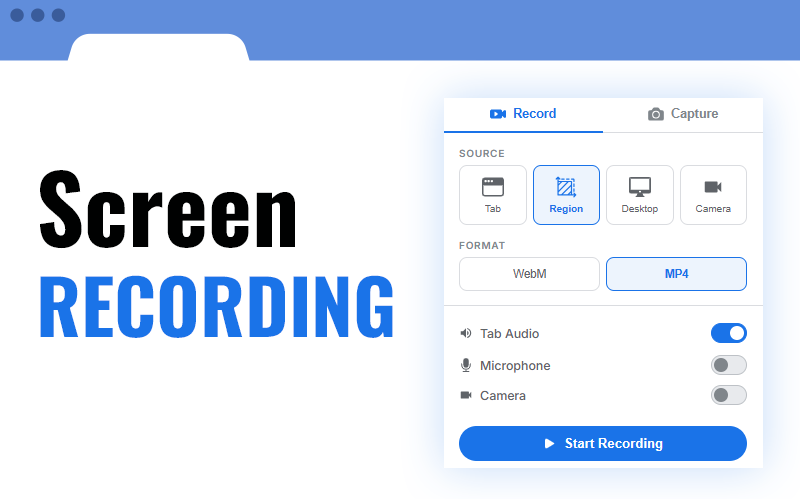
添加到 Chrome - 免费Record Your Screen, Your Way
Whether you need to capture a single browser tab, your entire desktop, or just a specific region, FastCapture gives you full control. Add your webcam, include system audio and microphone, and export in the format you need. Every recording can be paused, resumed, or discarded at any time.
- Four sources: tab, desktop, region, or camera-only
- 导出为 WebM、MP4 或 GIF
- Pause and resume at any time
- 15, 24, 30, or 60 frames per second
- Configurable countdown: 3, 5, or 10 seconds
- Optional max duration with auto-stop
- Toggle audio, mic, and camera live while recording

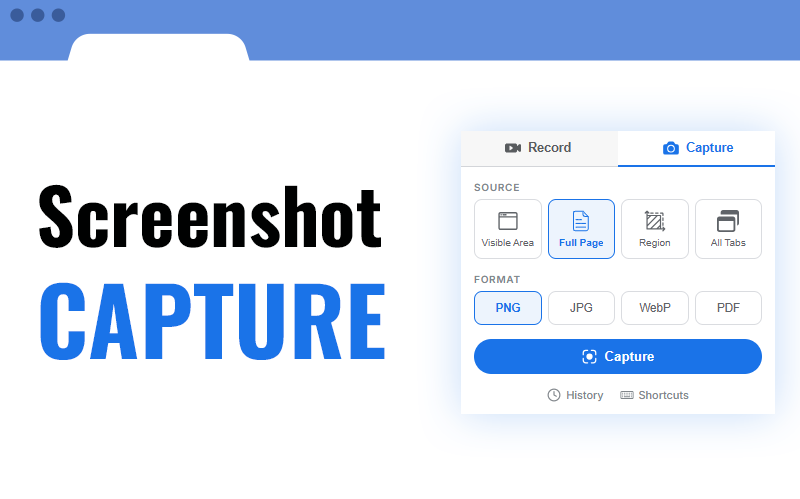
Pixel-Perfect Screenshots
Capture exactly what you see, or let FastCapture scroll the entire page and stitch it together automatically. Select a precise region, or grab every open tab at once. Choose your format and you are done.
- Visible area, full page, region, or all tabs at once
- Full-page scroll handles fixed headers and sticky elements
- Save as PNG, JPG, WebP, or PDF
- All-tabs mode exports as a ZIP file
- Quick capture: save on mouse release
- Real-time progress bar for long captures
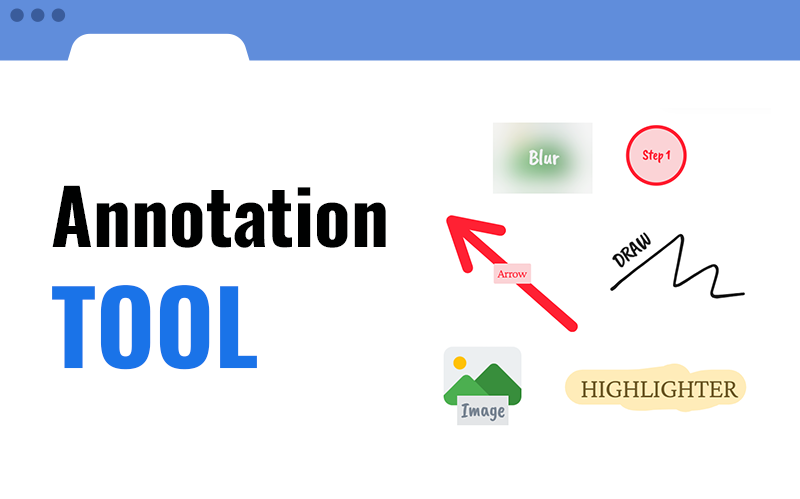
绘制、书写、高亮
在截取前后直接在页面上进行标注。自由绘制、添加文本、箭头、形状或模糊敏感内容。所有内容都以透明叠加层渲染,让您在不改变页面本身的情况下进行标注。
- 可调节大小和颜色的自由绘制
- 文本、便签、箭头和形状
- 模糊工具,用于隐藏敏感信息
- 演示用激光笔
- 侧面板模式:控件在录制中不可见
- 在编辑、显示和隐藏模式之间切换
Your Webcam, Fully Customizable
Add a floating webcam overlay to any screen recording. Choose its shape, size, and position. Move it around, resize it, flip it, or hide it - all while recording. You can also record webcam-only in a dedicated window.
- Picture-in-picture overlay on any recording
- Three shapes: circle, rounded square, rectangle
- Drag to reposition anywhere on screen
- Resize freely to any size
- Mirror toggle for a natural view
- Show or hide during recording
- Switch between connected cameras
- Standalone webcam-only recording mode

Select Any Area with Precision
Draw a rectangle on the page to capture or record exactly the area you want. Fine-tune it with resize handles, lock it to an aspect ratio, and see the exact pixel dimensions in real time.
- Click and drag to define the capture area
- Resize with corner and edge handles
- Aspect ratio lock: free, 1:1, 4:3, 16:9
- Live dimension label in pixels
- Crosshair alignment guides
- Quick capture on mouse release
- Copy region directly to clipboard
- Works for video and screenshots
And So Much More
Every detail has been thought through.
Audio Capture
Record tab audio and microphone with real-time mixing. Choose from all connected mics, mute or unmute each source independently while recording.
Export & Sharing
即时下载、复制到剪贴板、通过 Gmail 发送或打印。在预览页面直接转换 PNG、JPG、WebP 和 PDF。将录制导出为 GIF 便于分享。在多标签页模式下将所有捕获下载为 ZIP。
File Management
Name your files with dynamic templates using page title, URL, date, time, and auto-incrementing counters. Set up auto-save to custom folders. Browse, search, and re-download past captures from the built-in history.
Customization
Dark, light, or auto theme. 14 languages. Four customizable keyboard shortcuts for instant capture. Right-click context menu. Adjustable countdown and frame rate. All preferences are saved across sessions.
Privacy at the Core
FastCapture processes everything locally in your browser. No data is uploaded to any server. No account needed, no tracking, no analytics. Your captures stay on your device and belong to you.